A restaurant POS (point-of-sale) system is an integrated hardware and software platform that serves as the central operating system of a restaurant. It enables staff to take orders across multiple channels—such as dine-in, takeout, and online ordering—process payments through cash, credit cards, and mobile wallets, and automatically synchronize data across front-of-house and back-of-house operations.
Beyond basic transactions, a modern restaurant POS system manages menu items, pricing, modifiers, inventory levels, staff permissions, and kitchen workflows through tools like kitchen display systems (KDS). Orders placed at the counter, on tablets, or online are instantly routed to the appropriate preparation stations, helping reduce errors, speed up service, and improve order accuracy.
By replacing traditional cash registers with a real-time, data-driven system, a restaurant POS provides owners and managers with clear visibility into sales performance, peak hours, and operational bottlenecks. This centralized control helps restaurants operate more efficiently, deliver a better customer experience, and ultimately increase profitability.
All POS software and hardware can be customized and combined based on a restaurant’s needs, and professional restaurant POS providers use real operational experience to recommend the right setup to help restaurants grow revenue while reducing costs.
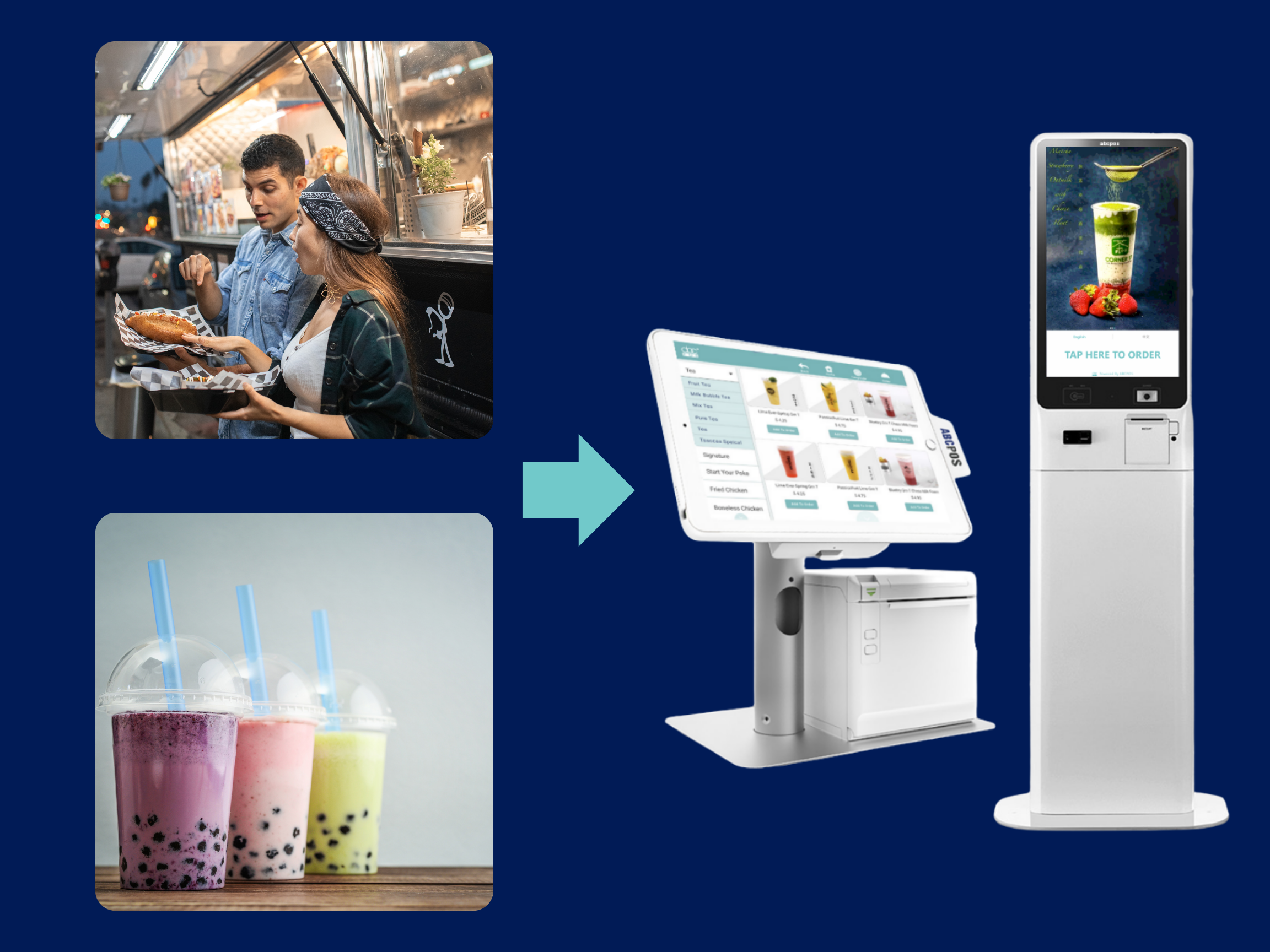
Quick-Service & Bubble Tea Shops
Speed matters most
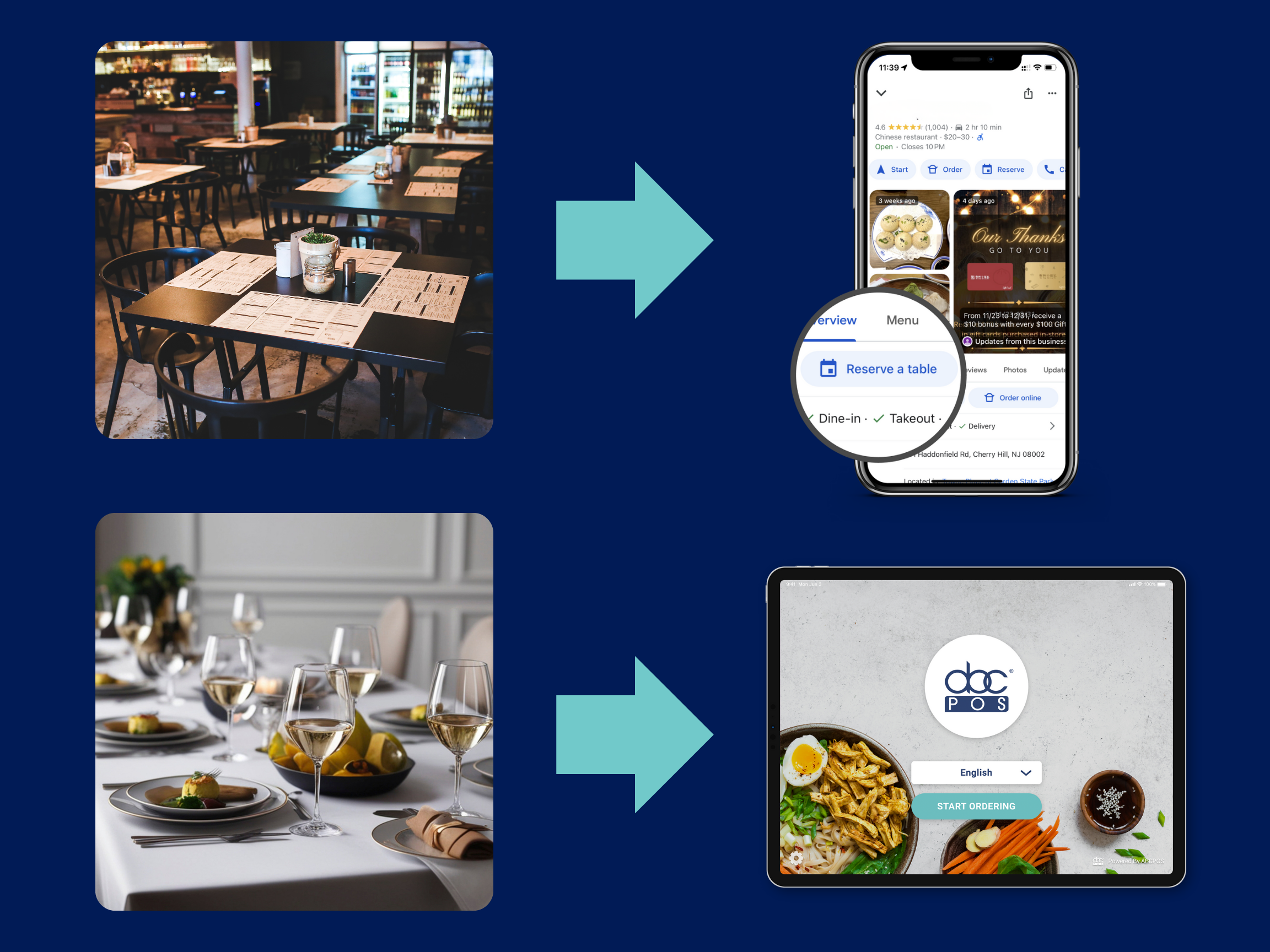
Full-Service & High-End Restaurants
Experience matters most
Common POS setup:
Using a POS system in a restaurant means handling daily operations—orders, payments, and reports—through one central system. For restaurant owners, learning how to use a POS system in a restaurant focuses on a few high-frequency tasks that keep service running smoothly every day.
Taking Orders
In a restaurant, staff use the POS system to select menu items, apply modifiers, and send orders directly to the kitchen. Orders appear in real time, reducing miscommunication and speeding up service during busy hours.
Modifying Items
A POS system allows staff to quickly modify items when customers request changes, such as removing ingredients or adding extras. These modifications are sent instantly to the kitchen, helping restaurants avoid mistakes and maintain order accuracy.
Closing Checks
Restaurants use the POS system to close checks by processing payments, splitting bills, and applying discounts. This ensures payments are recorded correctly and reduces errors at checkout.
End-of-Day Reports
At the end of the day, restaurant owners use the POS system to review sales, payments, and staff activity. These reports provide a clear summary of daily performance and support better operational decisions.
Why This Matters for Restaurant Owners
Knowing how to use a POS system in a restaurant helps owners maintain consistency, reduce errors, and stay informed without being involved in every transaction.
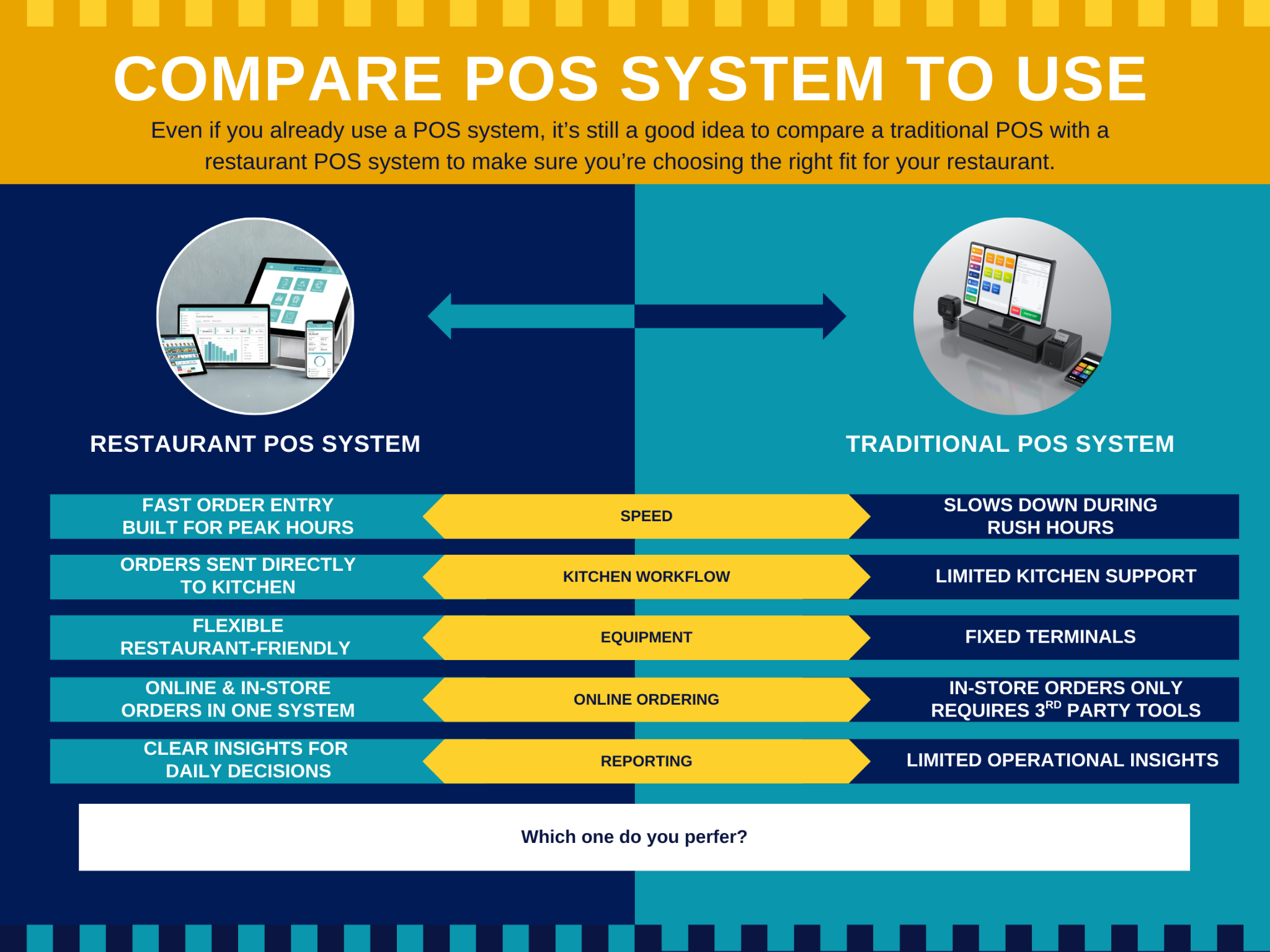
Many Restaurant Owners Ask: What’s the real difference between a restaurant POS system and a traditional POS system? Simply put, both systems can process payments—but whether a POS system is built specifically for restaurants makes a huge difference. Here are the most clear and practical ways to see that difference.
Order Taking and Checkout Speed
Restaurant POS systems are designed for peak dining hours. Staff can take orders quickly, add special notes, and send orders to the kitchen instantly, reducing back-and-forth communication.
Traditional POS systems are better suited for simple product sales, such as retail. When dealing with common restaurant requests like “less salt,” “extra spicy,” or “no onions,” they tend to be slower and more prone to mistakes.
Kitchen Workflow
A restaurant POS system sends orders directly to a kitchen display screen or printer. The kitchen prepares dishes in order, and any changes to the order appear immediately.
Traditional POS systems often rely on manual communication. During busy hours, it’s easy to miss or mishear orders, which slows down food preparation.
Equipment Setup
Restaurant POS systems usually run on iPads or mobile devices, allowing staff to move freely instead of being tied to the counter.
Traditional POS systems are typically fixed terminals. They take up more space, offer less flexibility, and are harder to adjust to different service scenarios.
Online Ordering and Delivery
Many restaurants now offer online ordering and delivery. A restaurant POS system manages both online and in-store orders in one system, reducing duplicate work.
Traditional POS systems often don’t support online ordering natively and require extra tools, which leads to scattered orders and more complex management.
Business Insights and Reporting
Restaurant POS systems clearly show what was sold each day, which dishes are most popular, and when the restaurant is busiest—so owners can stay informed even when they’re not on-site.
Traditional POS systems usually only show total sales numbers, offering limited insight into actual restaurant operations.
After understanding what is a POS system in a restaurant, try choosing a restaurant POS system demo to start with seeing how it works in real scenarios. A free POS demo is tailored to your restaurant’s service style, such as dine-in, takeout, or delivery.The demo helps you understand how orders flow from the front of house to the kitchen, and you can also see where time and mistakes are reduced.
Author: Ivy Z
Ivy works in the restaurant technology industry, focusing on POS systems and online ordering solutions for restaurants. With hands-on experience supporting restaurants across different service models—including dine-in, takeout, and delivery— Ivy helps restaurant owners understand how technology can improve daily operations, reduce errors, and increase efficiency.
Fill out the form below to receive:
Product demo videos/live Demo and see pricing


Copyright © 2024
A registered ISO of Wells Fargo Bank, N.A., Concord, CA
Abacus Business Computer


