An iPad POS system is a tablet-based point-of-sale solution used by restaurants to manage orders, payments, and operational workflows. Compared with traditional on-premise POS hardware, iPad-based systems typically offer greater flexibility, lower upfront costs, and cloud-based management capabilities.
This article explains how iPad POS systems work, outlines their operational benefits, and compares them with traditional POS systems to help restaurant operators evaluate their technology options.
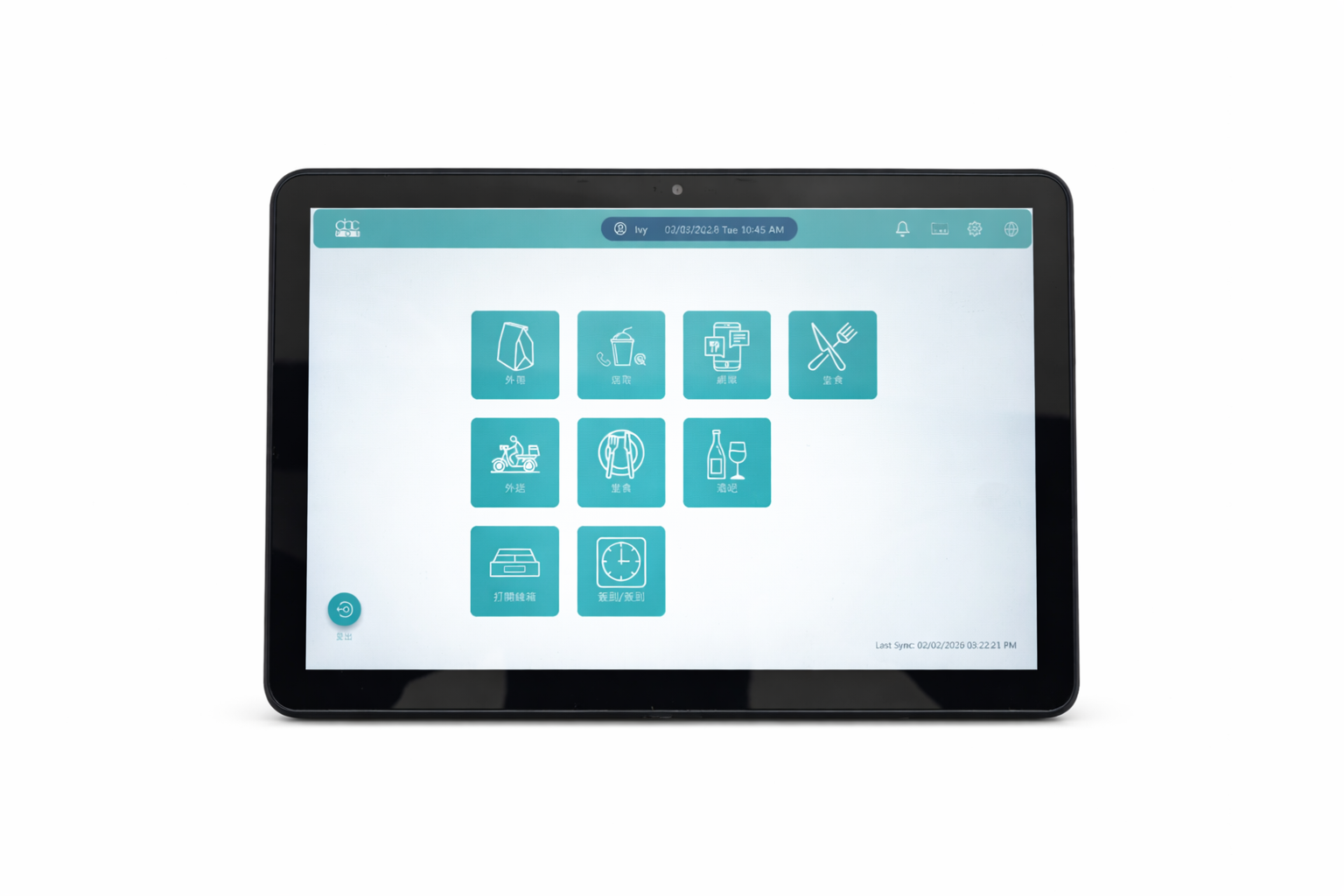
An iPad POS system enables restaurants to manage dine-in, takeout, and delivery orders through a single interface, reducing the need for multiple devices and disconnected workflows.
Many modern systems support automated order routing to kitchen or preparation areas, which can help minimize delays and reduce manual communication errors during service operations.
Manual order handling and fragmented systems can slow down service and increase the likelihood of operational errors. Centralized dashboards and automated workflows can streamline front-of-house and back-of-house coordination, improving staff productivity and service consistency.
Restaurants frequently operate across multiple third-party delivery platforms. Integrated POS solutions can aggregate these channels into one system, allowing unified tracking of orders, revenue, and inventory data across platforms.
This centralized approach supports more consistent reporting and simplifies operational oversight.
Some iPad POS platforms include tools for building online ordering websites, enabling restaurants to accept direct digital orders. This can complement third-party delivery platforms and provide restaurants with additional control over customer data and ordering channels.
Traditional POS systems often rely on dedicated hardware terminals, local servers, and complex installation processes, which can result in higher upfront costs and limited flexibility. In contrast, an iPad POS system typically uses cloud-based software and tablet hardware, allowing for easier deployment and remote system management.
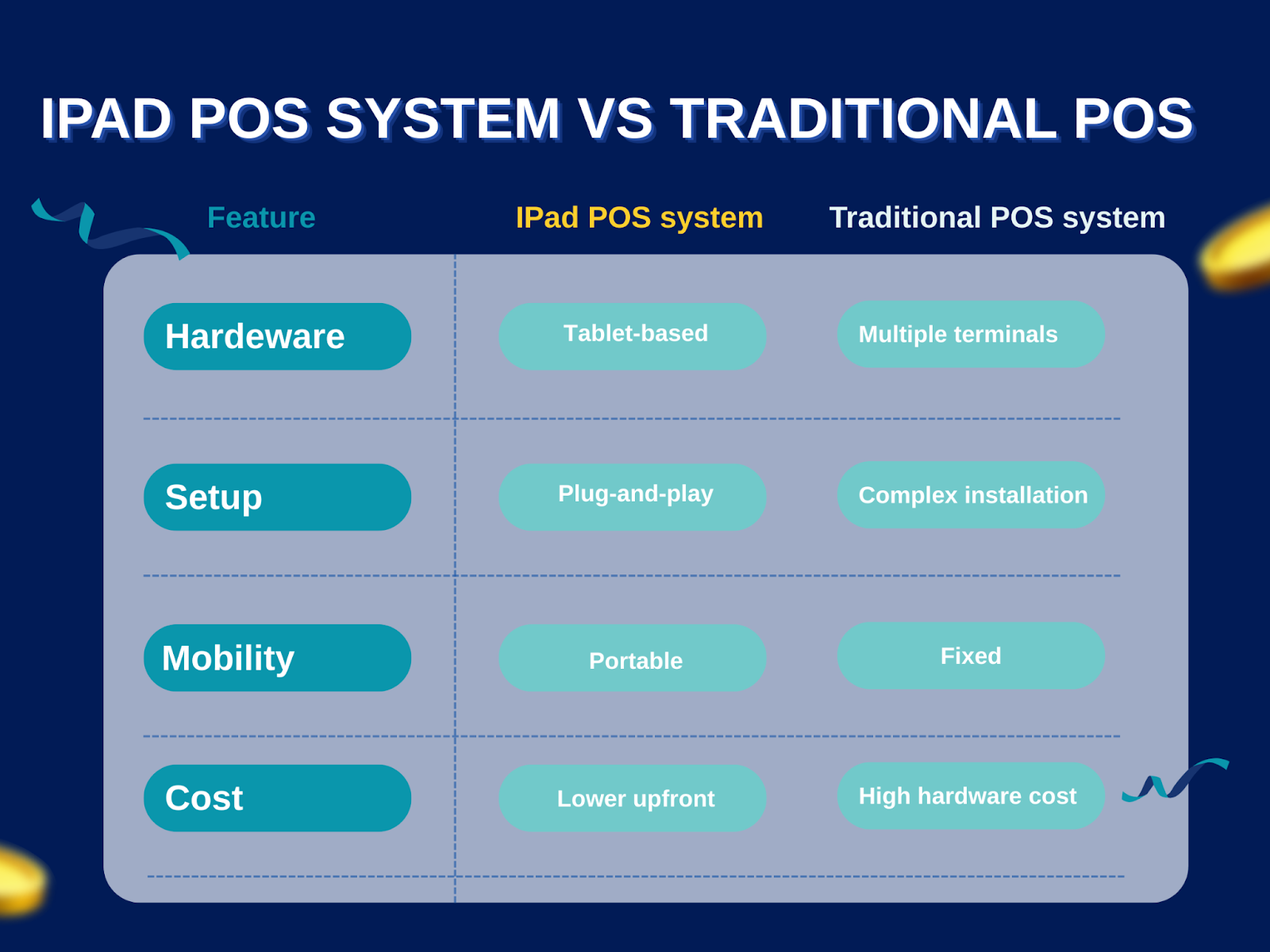
iPad POS systems are often preferred by restaurants that require mobility, scalability, and centralized cloud-based administration across multiple locations.
Delivery integration has become a key capability in modern restaurant technology stacks. Aggregated delivery management allows restaurants to receive orders from multiple platforms within a single interface.
Common features include:
These capabilities can help restaurants reduce operational complexity and improve visibility across multiple sales channels.
As digital ordering and delivery continue to reshape restaurant operations, the adoption of an iPad POS system with integrated delivery capabilities is becoming a strategic consideration rather than a tactical upgrade. Centralized order management, unified data reporting, and cloud-based architecture enable restaurants to reduce system complexity and maintain consistent oversight across multiple sales channels. An all-in-one POS system built on tablet infrastructure provides flexibility and scalability, which are increasingly critical as restaurants adapt to evolving consumer behavior and technology ecosystems.
Many restaurants still operate with legacy POS systems combined with separate devices for ordering, delivery management, and payment processing. While this setup can function adequately, it often introduces operational complexity, additional hardware costs, and workflow inefficiencies—especially during peak hours.
For these businesses, an iPad POS system can be considered as a potential consolidation tool. By combining order intake, kitchen routing, and payment processing into a single interface, restaurants may reduce device fragmentation and simplify staff workflows. This can be particularly relevant for delivery-focused operations where orders originate from multiple channels and require rapid processing.
However, operators should evaluate compatibility with existing workflows, staff training requirements, and long-term scalability before migrating from legacy systems.
Entrepreneurs and restaurant managers who are researching POS solutions for new or expanding locations may also consider iPad POS systems as part of their technology stack. iPad-based platforms are often perceived as more accessible due to familiar hardware interfaces and flexible deployment models.
For early-stage businesses, consolidating ordering, payment, and delivery management into fewer devices may help reduce upfront hardware costs and simplify daily operations. Integrated delivery aggregation tools, when available, can also provide centralized visibility across multiple online ordering platforms.
That said, operators should assess system reliability, security standards, support services, and total cost of ownership when comparing iPad POS systems with traditional on-premise or cloud-based POS architectures.
Before adopting an iPad POS system, restaurants should consider:
A structured evaluation ensures the system aligns with operational needs rather than being selected solely based on convenience or cost.
Fill out the form below to receive:
Product demo videos/live Demo and see pricing


Copyright © 2024
A registered ISO of Wells Fargo Bank, N.A., Concord, CA
Abacus Business Computer


