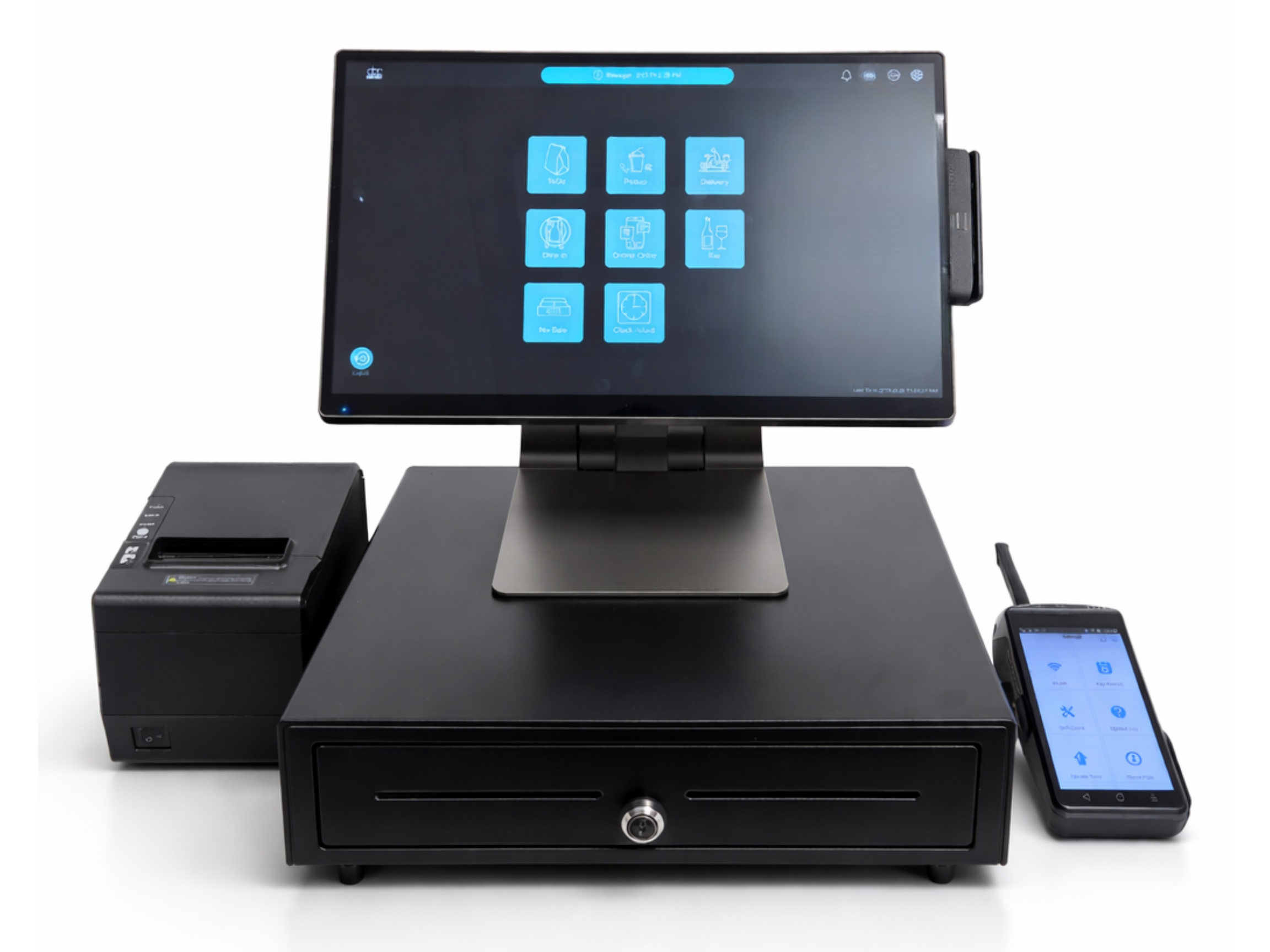
A POS (Point of Sale) system for small businesses is a combination of hardware and software that allows businesses to process transactions, manage sales, track inventory, and analyze performance in one place.
For small businesses, especially restaurants, cafes, and retail shops, a modern POS system replaces traditional cash registers with a smarter, cloud-based solution.
Running a small business means balancing efficiency, cost, and customer experience. A POS system helps by:
According to industry reports, businesses using POS systems can improve operational efficiency by up to 30%.

When choosing a POS system, not all features are equally important. Focus on what directly impacts your operations:
Small business owners and staff need a system that requires minimal training.
Track stock levels, receive alerts, and avoid running out of key items.
Understand your best-selling products, peak hours, and customer trends.
Support for:
1.Credit/debit cards
2.Contactless payments
3.Mobile wallets
A complete POS setup may include:
1. Tablet or terminal
2. Receipt printer
3. Cash drawer
4. Kitchen display system (for restaurants)
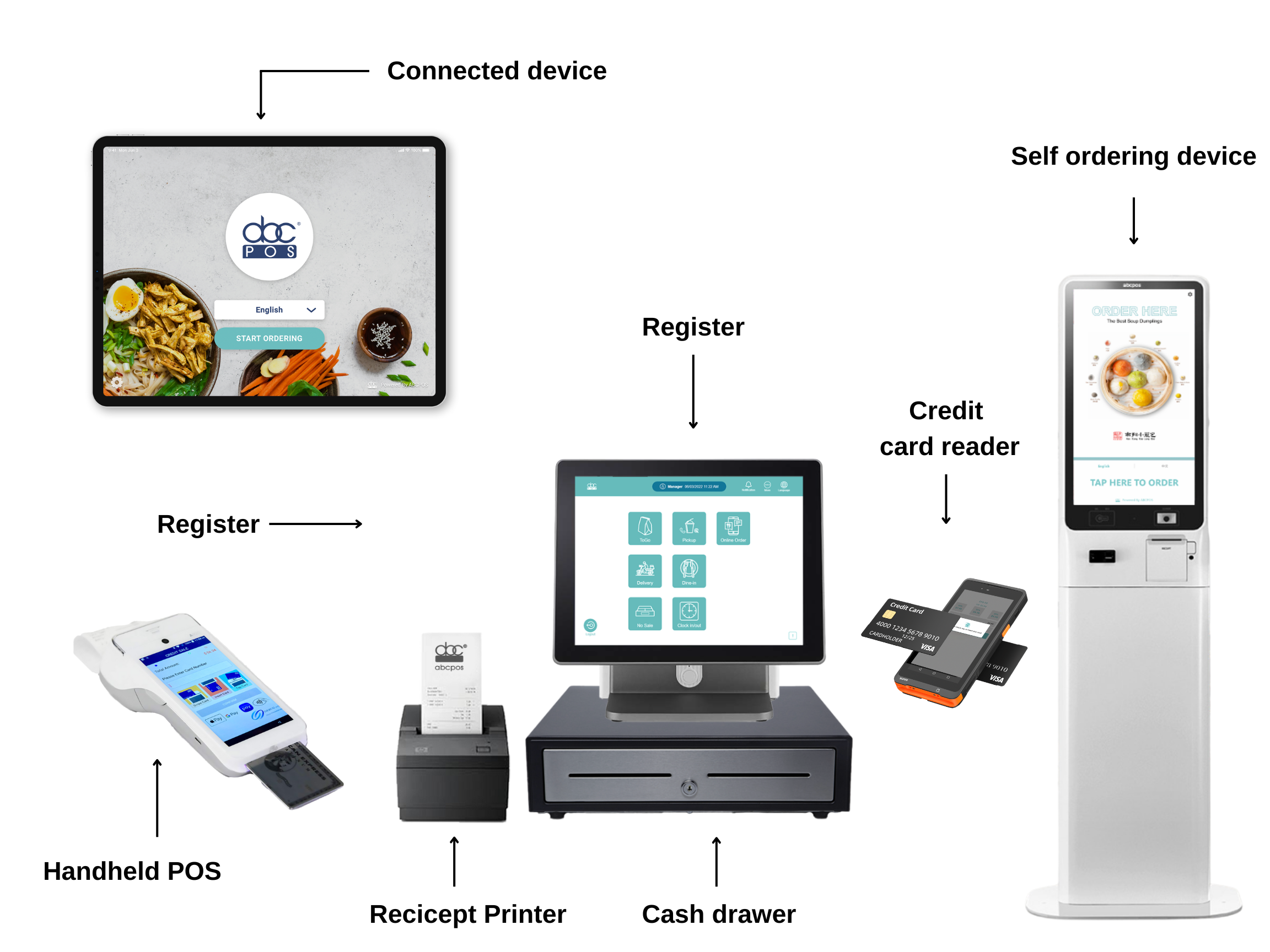
POS systems come in different formats, each suited to specific business needs.
Cloud-based POS systems are increasingly popular due to their flexibility. They allow business owners to access data from anywhere, offer automatic updates, and generally require lower upfront costs. These systems are particularly suitable for restaurants, cafes, and businesses with multiple locations.
Traditional, or on-premise POS systems, are installed locally and can operate without an internet connection. They are often preferred by businesses in areas with unreliable connectivity.
Mobile POS systems, commonly referred to as mPOS, run on smartphones or tablets. Their portability makes them ideal for food trucks, pop-up shops, and small vendors who need flexibility in their operations.

Before choosing a system, ask these key questions:
Choosing the right POS system starts with understanding your business model. Different industries have distinct requirements. For example, restaurants typically need table management and kitchen display integration, while retail stores prioritize barcode scanning and inventory tracking. Bubble tea shops and quick-service businesses often require fast ordering interfaces with customizable modifiers.
Costs can include:
Look for transparent pricing with no hidden fees.
Choose a system that can grow with your business:
As a POS provider working closely with restaurant owners, we’ve seen how the right system transforms operations.
For example:
A small Chinese restaurant reduced order errors by over 40% after switching from manual entry to a tablet-based POS system with kitchen display integration.
This not only improved efficiency but also customer satisfaction.
Many small businesses make avoidable mistakes when selecting a POS system. Choosing the cheapest option without evaluating features often leads to limitations later. Ignoring the quality of customer support can create operational risks during critical moments. Failing to consider future growth may result in needing to switch systems prematurely, while overlooking hardware compatibility can lead to unnecessary costs and integration issues.
A POS system is more than just a transaction tool—it serves as the operational backbone of a small business.
The ideal solution should be simple to use, cost-effective, scalable, and tailored to your specific industry. Making the right choice can significantly improve efficiency, reduce operational costs, and support long-term growth.
The best POS system depends on your industry, budget, and operational needs. Restaurants, for example, require features like table management and kitchen display systems.
Costs vary widely:Basic systems: $0–$50/month,Advanced systems: $100+/month,Hardware: $300–$1500+
In most cases, yes. Cloud POS systems are easier to maintain, more flexible, and cost-effective for growing businesses
Switching to a new POS system is typically easier than most small business owners expect. Many modern POS providers offer onboarding support, including data migration, menu setup, and staff training. With a well-designed system, most businesses can complete the transition within a few days without disrupting daily operations. Choosing a provider with strong customer support ensures a smoother setup process and minimizes downtime.Can a POS system help increase sales for small businesses?
Yes, a POS system can directly and indirectly increase sales. By speeding up service, reducing errors, and improving customer experience, businesses can serve more customers efficiently.
Fill out the form below to receive:
Product demo videos/live Demo and see pricing


Copyright © 2024
A registered ISO of Wells Fargo Bank, N.A., Concord, CA
Abacus Business Computer


