QR code ordering and self-ordering kiosks both reduce the time staff spend taking orders. The better choice depends on where guests order, how busy your peak periods are, and whether you need a physical ordering point at the counter.
For most sit-down restaurants, QR ordering is the lower-commitment starting point. For quick-service restaurants with steady lines, a kiosk can be a better fit. Neither should replace hospitality where customers still expect help; the goal is to remove ordering bottlenecks and let staff focus on the moments that need people.
Research on self-ordering systems links successful deployments to faster order processing, stronger order accuracy, and proper integration with restaurant operations—not simply installing a screen. Read the research overview.
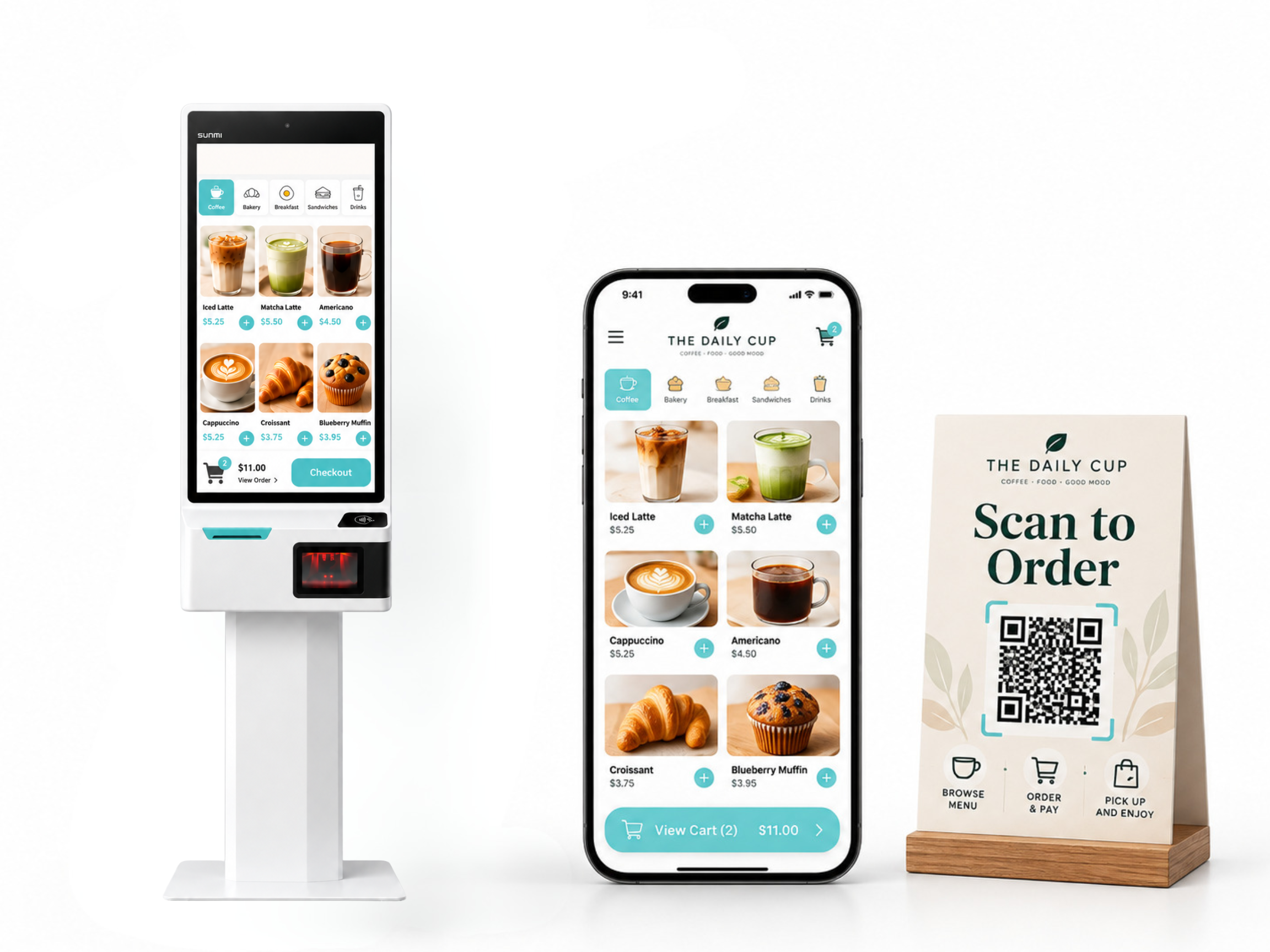
A QR ordering system lets guests scan a code on their own phone to view the menu, place an order, and, depending on the setup, pay at the table. It works naturally for dine-in service because the table itself becomes the ordering point.
A self-ordering kiosk is a restaurant-owned touchscreen near the entrance, counter, or pickup area. Guests walk up, build their order, pay, and the ticket goes to the POS and kitchen.
The choice is less about which technology looks more modern. It is about matching the order flow to the restaurant.
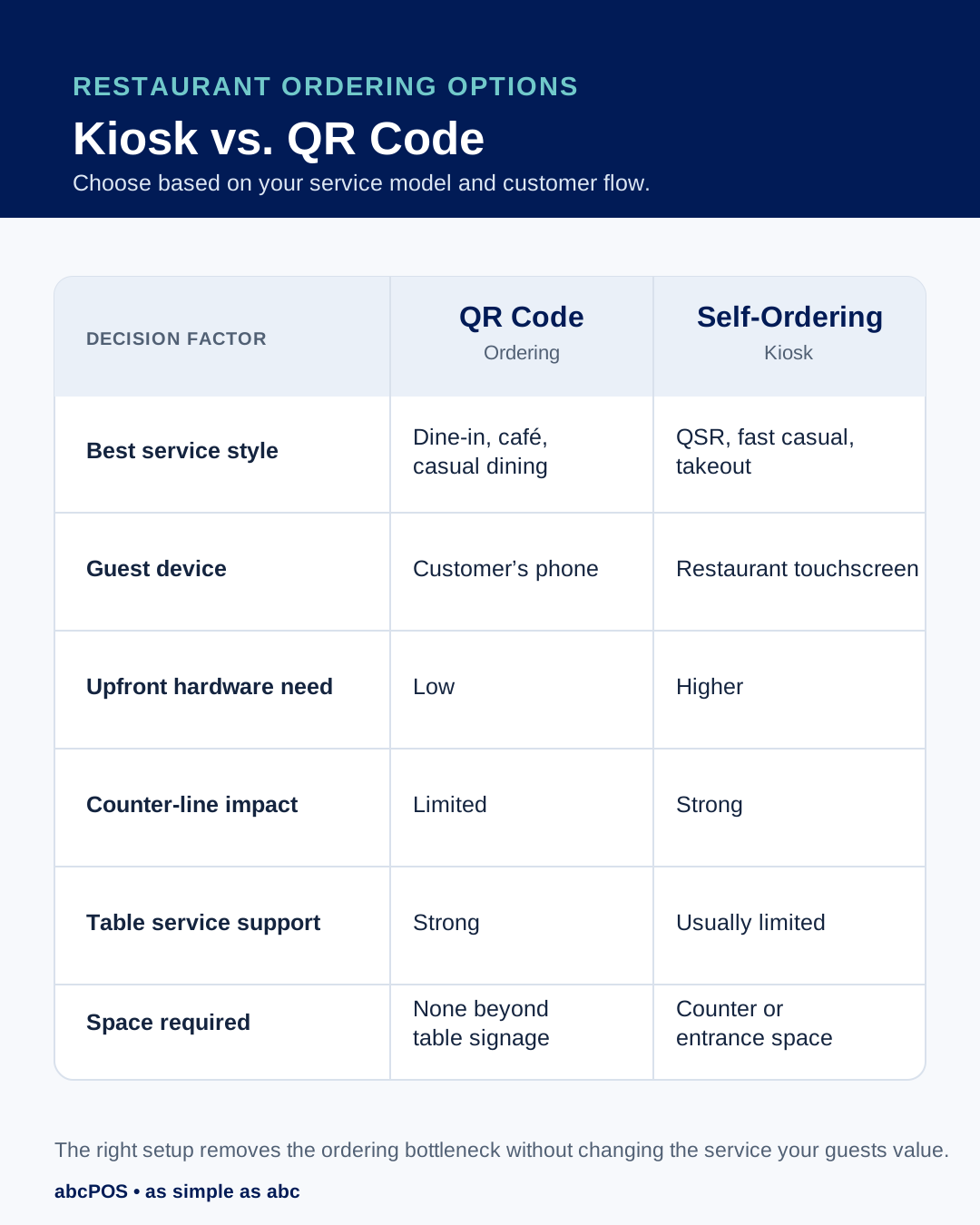
QR ordering is practical when servers lose too much time walking between tables just to take the first order, answer basic menu questions, or return for another round.
It can suit casual Chinese restaurants, sushi restaurants, cafés, bubble tea shops with seating, and restaurants with frequent table turns. Guests can browse modifiers and add-ons without feeling rushed, while staff can focus on food delivery, guest questions, and recovery when something goes wrong.
The key requirement is that QR orders must enter the same workflow as other orders. If QR tickets, POS tickets, and kitchen tickets live in different places, the restaurant creates more work instead of less.
abcPOS’s QR table ordering page should be linked here as the commercial next step: it explains how table orders can sync directly into restaurant operations.
A kiosk makes more sense when customers queue before they can even start ordering. This often applies to fast-casual restaurants, food-court locations, bakeries, takeout counters, and high-volume bubble tea shops.
The benefit is not simply fewer cashier interactions. A good kiosk gives several guests a way to start ordering at the same time, clearly presents modifiers, and sends completed orders directly to the kitchen. abcPOS customer testimonial content reports that Tsaocaa saw a 30% increase in kiosk order ticket size; that result should be treated as a specific customer experience, not a guaranteed outcome for every location. See the abcPOS restaurant POS system page.
Before choosing a kiosk, check three things:
Start with your busiest 30 minutes. Watch where orders slow down.
If guests are already seated but wait too long to place an order, QR ordering may solve the right problem. If customers are standing in line before they can order, a kiosk is more likely to improve throughput. If both situations happen, use both tools for their proper roles: QR codes at tables and kiosks at the counter.
Also measure the baseline before launch: average ticket, order time, order errors, staff workload, and guest comments. Review those numbers after several weeks instead of deciding based on one busy day.
Neither is always better. QR ordering usually fits seated service, while kiosks fit high-volume counter service.
Yes. A restaurant can use QR ordering for dine-in tables and kiosks for counter or takeout orders, provided both connect to the same POS and kitchen workflow.
Not necessarily. Many restaurants use kiosks to reduce peak-hour pressure and move staff toward guest assistance, pickup, and food preparation.
Test menu updates, modifiers, unavailable-item handling, payment flow, kitchen routing, accessibility, and the fallback process if the internet or device has an issue.
Fill out the form below to receive:
Product demo videos/live Demo and see pricing


Copyright © 2024
A registered ISO of Wells Fargo Bank, N.A., Concord, CA
Abacus Business Computer


